AEM Edge Delivery Services for React Developers: How Blocks Work and What Changes
A practical guide to AEM Edge Delivery Services for React developers: blocks, decorate(), variants, three-phase loading, Universal Editor and React trade-offs.

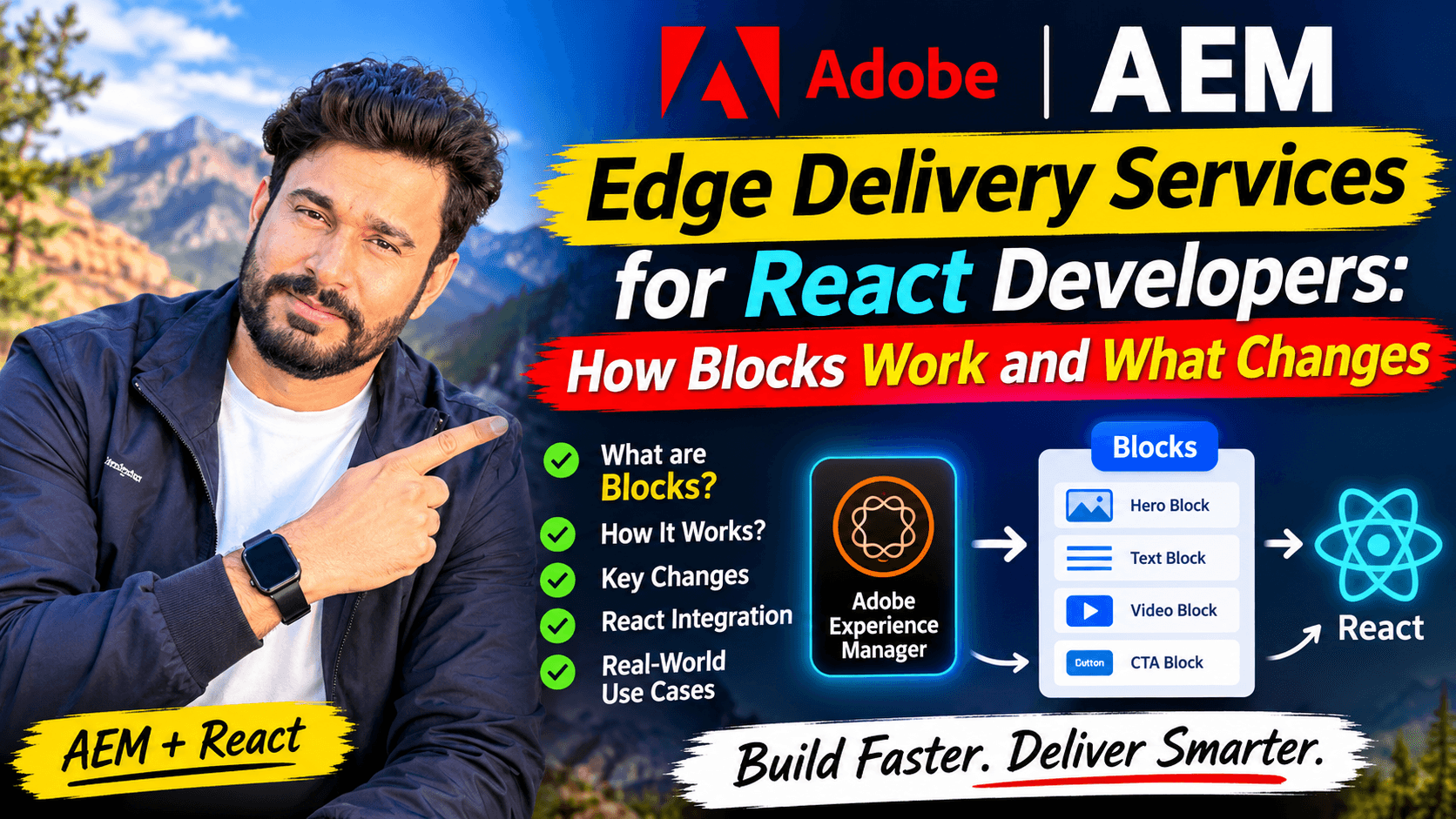
Edge Delivery Services isn't React with a different syntax. It's a different contract. Authors own the content structure, you own a small function that decorates it, and the platform holds you to a perfect Lighthouse score. Once that clicks, EDS is one of the most productive front-end setups I've worked with.
I spend most of my working day as a UI architect on Adobe Experience Manager, and a growing part of that is Edge Delivery Services (EDS). Most developers who join an EDS project arrive from React, Next.js or Angular, and almost all of them hit the same wall in the first week: the habits that make you fast in a component framework actively slow you down here.
This guide is the orientation I wish every React developer got on day one. It covers how an EDS page is structured, how to write a block, how variants and images work, where the performance rules come from, what changes with the Universal Editor, and an honest answer to the question everyone asks: can I just use React?
What Edge Delivery Services actually is
Edge Delivery Services is Adobe's way of publishing fast websites from content that authors write in familiar tools: documents (Google Docs or Microsoft Word through SharePoint), or AEM's visual Universal Editor. Your code lives in a GitHub repository, usually started from Adobe's aem-boilerplate template, and there is no build step: the JavaScript and CSS you commit are the files that ship.
Every branch gets its own URLs:
- Preview:
https://<branch>--<repo>--<owner>.aem.page/ - Live:
https://<branch>--<repo>--<owner>.aem.live/
You'll still see the older hlx.page and hlx.live domains in some projects and articles. Content goes from preview to live through the AEM Sidekick browser extension; code goes live when it's merged.
The mental shift, in five pairs
The fastest way I've found to explain EDS to React developers is as a set of trades:
- Components → blocks. A block is a folder with one JavaScript file and one CSS file, named after the block. There's no JSX and no virtual DOM.
- Props → authored tables. Authors create a block as a table in their document. The rows and cells of that table are your "props", and they arrive as plain HTML.
- Rendering → decorating. The server already sends the content as HTML. Your job isn't to render it; it's to decorate it: restructure the DOM, add classes and wire up behaviour.
- State management → almost none. Most blocks are presentational. When you need interactivity, it's a few event listeners scoped to the block.
- Bundles and dependencies → none by default. No bundler, no npm runtime packages, no framework. Adobe's block collection guidance is explicit that blocks should have no dependencies.
None of this is a limitation you work around. It's the reason EDS sites start at a Lighthouse score of 100 and stay there.
Anatomy of a page: sections, blocks and default content
An EDS page has three building blocks of its own:
- Default content: headings, paragraphs, lists and images written normally in the document. No code needed.
- Blocks: tables whose first row holds the block name, like
ColumnsorCards. Everything below that header row is the block's content. - Sections: parts of the page separated by a horizontal rule (
---in the document). Blocks and default content always live inside a section, and a special Section Metadata block lets authors add aStylethat becomes CSS classes on that section.
When the page loads, a block arrives as nested divs: the block itself, then one div per row, then one div per cell:
1<div class="stats">
2  <div>
3    <div><p>12+</p></div>
4    <div><p>Years building enterprise platforms</p></div>
5  </div>
6  <div>
7    <div><p>10+</p></div>
8    <div><p>Production platforms delivered</p></div>
9  </div>
10</div>
That's the whole interface between authors and developers. Read it once and every block becomes easier to reason about.
Writing your first block
The block name is both the folder name and the file name, so a Stats block lives in blocks/stats/stats.js and blocks/stats/stats.css. The JavaScript is loaded as an ES module and must export a default function. EDS calls it with the block element:
1export default function decorate(block) {
2  const list = document.createElement('ul');
3
4  [...block.children].forEach((row) => {
5    const [value, label] = row.children;
6
7    const number = document.createElement('strong');
8    number.className = 'stats-value';
9    number.textContent = value.textContent.trim();
10
11    const text = document.createElement('span');
12    text.className = 'stats-label';
13    text.textContent = label.textContent.trim();
14
15    const item = document.createElement('li');
16    item.append(number, text);
17    list.append(item);
18  });
19
20  block.replaceChildren(list);
21}
That's a complete, production-shaped block. A few habits worth adopting from the start:
- Destructure rows and cells (
const [value, label] = row.children). It documents the authoring contract right in the code. - Read and write text with
textContentwhen you only need text, rather than building HTML strings from author content. Move existing nodes (append) when you need to keep the author's formatting and links. - Replace children at the end with
replaceChildren, so the block updates in one step.
The CSS sits next to it, and every selector is prefixed with the block's class so styles never leak:
1.stats ul {
2  display: grid;
3  grid-template-columns: repeat(auto-fit, minmax(180px, 1fr));
4  gap: 24px;
5  list-style: none;
6  padding: 0;
7}
8
9.stats .stats-value {
10  display: block;
11  font-size: 2.5rem;
12  font-weight: 800;
13}
14
15.stats .stats-label {
16  color: var(--text-muted, #666);
17}
To work on it locally, install the AEM CLI and start the dev server from your repository:
1npm install -g @adobe/aem-cli
2aem up
aem up opens http://localhost:3000/, proxying content from your preview site while serving your local code, so changes to .js and .css files show up immediately.
Variants: block options become CSS classes
Authors can add options to a block name in brackets, and EDS turns them into classes on the block:
Stats (dark)becomesclass="stats dark"Stats (dark, compact)becomesclass="stats dark compact"Stats (super wide)becomesclass="stats super-wide"(multiple words are joined with a hyphen)
So a variant is usually just CSS:
1.stats.dark {
2  background: #111;
3  color: #fff;
4}
5
6.stats.compact .stats-value {
7  font-size: 1.75rem;
8}
When a variant needs different behaviour, check the class in JavaScript with block.classList.contains('compact'). Keep the list of supported options short and documented for authors. In my experience, undocumented variants are the main way EDS projects drift into inconsistency.
Images: let the platform resize them
Authors drop images into documents at whatever size they have. The boilerplate's aem.js exports createOptimizedPicture, which rebuilds an image as a responsive <picture> with properly sized sources. Adobe's own Cards block uses it like this:
1import { createOptimizedPicture } from '../../scripts/aem.js';
2
3export default function decorate(block) {
4  block.querySelectorAll('picture > img').forEach((img) => {
5    const picture = createOptimizedPicture(img.src, img.alt, false, [{ width: '750' }]);
6    img.closest('picture').replaceWith(picture);
7  });
8}
The third argument controls eager loading. Leave it false for anything below the fold; only the image that is the page's largest contentful paint (usually in the first section) should load eagerly.
Config-style blocks with readBlockConfig
Not every block is a list of items. Sometimes authors need to configure something, like a newsletter signup or an embedded form. For those, write the block as a two-column table of keys and values, and read it with readBlockConfig:
1import { readBlockConfig } from '../../scripts/aem.js';
2
3export default function decorate(block) {
4  const config = readBlockConfig(block);
5  // A row "Button Label | Subscribe" becomes config['button-label'] === 'Subscribe'
6
7  const label = document.createElement('label');
8  label.htmlFor = 'newsletter-email';
9  label.textContent = config.label || 'Email';
10
11  const input = document.createElement('input');
12  Object.assign(input, { id: 'newsletter-email', type: 'email', required: true });
13
14  const button = document.createElement('button');
15  button.type = 'submit';
16  button.textContent = config['button-label'] || 'Subscribe';
17
18  const form = document.createElement('form');
19  form.append(label, input, button);
20  block.replaceChildren(form);
21}
readBlockConfig turns each key into a class-style name (lower case, hyphenated) and returns the value as text, or as a URL when the cell contains a link or an image. It's a small helper, but it makes configurable blocks pleasant for authors.
Performance: the three phases you must respect
This is where EDS differs most from a typical React app, and where most first pull requests fail. The boilerplate loads every page in three phases:
- Eager: decorate the page and load the first section as fast as possible, prioritising the largest contentful paint (LCP) element. Adobe's guidance is to keep everything loaded before LCP under about 100 KB.
- Lazy: load the remaining sections and their blocks, the header and footer, the rest of the images and any non-blocking JavaScript.
- Delayed: third-party scripts such as analytics, tag managers and chat widgets. In the current boilerplate this runs from
loadDelayed()after a consent check, and Adobe's guidance is that it shouldn't start until at least three seconds after LCP.
This isn't a recommendation you can quietly ignore. When you open a pull request, the AEM GitHub bot runs PageSpeed Insights against your test URLs and fails the pull request if the mobile score drops below 100 (with a little buffer).
Some React-world reflexes are explicitly discouraged here:
- Preloading and
fetchpriority="high"don't improve LCP as measured by PageSpeed Insights in EDS's setup. - Loading anything from a second origin before LCP is strongly discouraged. Fonts, for example, load after LCP.
- Build tooling tends to produce large, blocking JavaScript files, which is exactly what the eager phase can't afford.
So can I use React?
Honestly: for most blocks, you shouldn't want to. A React block means shipping a framework runtime for something that is usually a few dozen lines of DOM code, and it fights the eager phase directly.
There are real exceptions, like a loan calculator, a multi-step configurator or a complex search interface, where component state and a mature ecosystem genuinely help. My rule for those cases:
- Never in the first section. The block must load in the lazy phase, well clear of LCP.
- Load it on demand, with a dynamic
import()inside the block'sdecoratefunction, so pages without the widget never pay for it. - Measure before merging. If the pull request's PageSpeed check drops below 100, the widget isn't ready.
And if your whole product is an application rather than content (a dashboard, an internal tool, a logged-in app), EDS may simply be the wrong tool. Use EDS for the marketing and content site, and a framework like Next.js for the app.
Universal Editor blocks: same code, more contract
Many AEM projects author EDS pages in the Universal Editor instead of documents. The block code is the same decorate(block) function, but each block also needs a definition so the editor knows how to create and edit it. These live in three JSON files at the root of the project:
component-definition.json: which blocks exist and their default contentcomponent-models.json: the fields authors fill in for each block (text, rich text, selects and so on)component-filters.json: which blocks are allowed inside which containers, such as sections
Block options work through a select field named classes, so variants stay plain CSS classes, exactly as above.
The one rule that catches React developers out: the editor tracks content through data-aue-* attributes in the DOM. If your decorate function moves content into new elements, those attributes have to move too, or authors lose the ability to edit that content in place. Projects started from Adobe's Universal Editor boilerplate include a moveInstrumentation() helper in scripts.js for exactly this. Make calling it a habit whenever you replace an element.
A checklist for your first EDS pull request
- Block folder and files share the block's name (
blocks/stats/stats.jsandstats.css). decorate(block)is the default export and reads rows and cells explicitly.- Every CSS selector is prefixed with the block class.
- Variants are documented for authors and implemented as classes.
- Images go through
createOptimizedPicture, and only the LCP image loads eagerly. - No dependencies or build step were added to the project.
- Third-party scripts are in the delayed phase, not in a block.
- Universal Editor projects keep their instrumentation when restructuring the DOM.
- The PageSpeed check on the pull request is green.
FAQ
Is Edge Delivery Services the same as AEM Sites?
They're related but different. Classic AEM Sites renders pages from components on AEM itself. Edge Delivery Services publishes pages to a fast delivery network from content authored in documents or the Universal Editor, with front-end code in GitHub. Many AEM projects now use both.
Do I need to know AEM to build Edge Delivery Services sites?
Not to get started. If you know HTML, CSS and modern JavaScript, you can build blocks on day one. AEM knowledge matters more on projects that author content with the Universal Editor or integrate with existing AEM Sites and Assets.
Can I use TypeScript in Edge Delivery Services?
The platform serves the files you commit without a build step, so blocks are written in plain JavaScript. Adding TypeScript means adding a build step, which Adobe's performance guidance warns against. JSDoc comments and editor type-checking are a lightweight middle ground.
What is the difference between aem.page and aem.live?
aem.page serves the preview version of your content, which authors check before publishing. aem.live serves the published version. Both follow the <branch>--<repo>--<owner> pattern, so every branch can be previewed in isolation.
Related posts
Share this article
Found it helpful? Share it with your network.
Keep reading

Next.js Image Optimization That Designers Trust: A Complete next/image Guide (Next.js 16)
Fix blurry heroes, layout shift and slow LCP in Next.js 16: next/image config, the sizes prop, preload, placeholders, remote patterns and CMS images.
JavaScript Module Boundaries That Scale: Feature Folders, Public APIs and Lint-Enforced Imports
Design module boundaries that scale in JavaScript and TypeScript: feature folders, public index files, package.json exports and lint-enforced imports.
TypeScript Generics for React Components: 5 Patterns That Keep UI Honest
Practical TypeScript generics for React components: polymorphic 'as' props, generic tables and selects, keyof constraints, const type params and NoInfer.