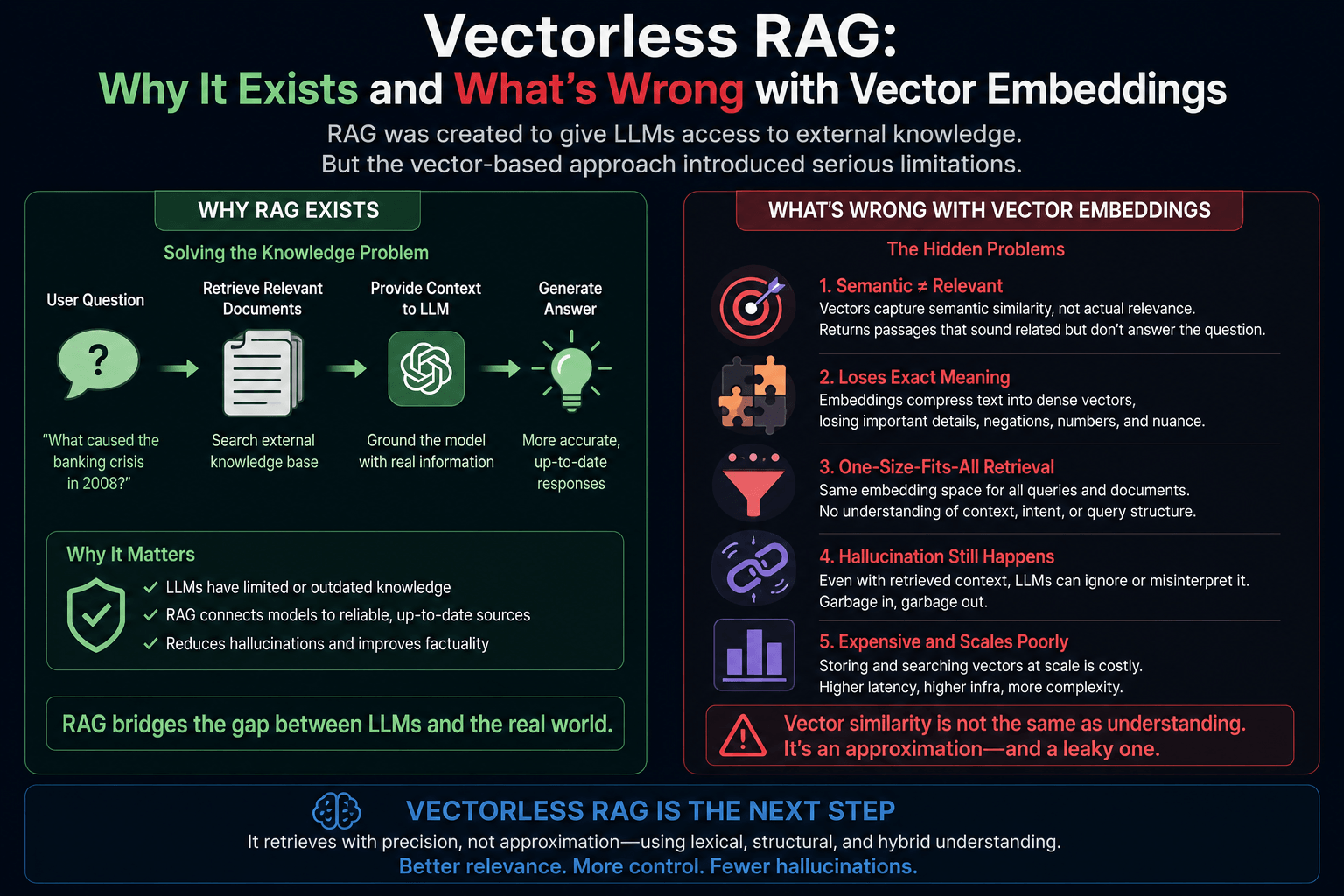
For the last few years, RAG has basically meant one thing: chunk your docs, embed them, throw them into a vector DB, and do similarity search at query time. It works. It's everywhere. But anyone who has shipped RAG in production knows the cracks show up fast.
That's why Vectorless RAG is getting traction. It's not a replacement for vector RAG, but it solves a specific class of problems that embeddings are genuinely bad at.
Let's break down the why.
Quick Recap: What Vector RAG Actually Does
1// Indexing time
2const chunks = splitIntoChunks(document, { size: 512 });
3const embeddings = await Promise.all(
4  chunks.map(c => openai.embeddings.create({ input: c, model: "text-embedding-3-small" }))
5);
6await vectorDB.upsert(chunks.map((c, i) => ({ id: i, vector: embeddings[i], text: c })));
7
8// Query time
9const queryVec = await openai.embeddings.create({ input: userQuery, model: "text-embedding-3-small" });
10const topChunks = await vectorDB.query({ vector: queryVec, topK: 5 });
11const answer = await llm.complete({ context: topChunks, question: userQuery });
Simple. Elegant. And full of hidden problems.
The Real Problems with Vector Embedding RAG
1. Hard Chunking Destroys Context
You split a doc into 512-token chunks. The embedding doesn't care that a chunk starts mid-sentence or splits a table in half. A clause like "however, this does not apply when..." might end up in chunk 3 while the rule it modifies sits in chunk 2. The retriever happily returns chunk 2 and the LLM gives you a confidently wrong answer.
2. Semantic Similarity ≠ Relevance
Embeddings find text that looks similar, not text that answers your question. Ask "what was Q3 revenue?" and you might get back a paragraph about Q3 marketing strategy because both contain "Q3" and corporate language. Intent and content live in different spaces.
3. Exact Matches Get Lost
Try searching for error code E-7842 or Section 12.4(b)(ii) with embeddings. You'll often get something semantically close — like Section 12.4(a) — instead of the exact match. Embeddings smooth over precision, which is the opposite of what you want for IDs, codes, and legal references.
4. No Document Structure Awareness
A 200-page contract has a table of contents, sections, sub-sections, footnotes, and cross-references. Vector RAG flattens all of that into a soup of chunks. The structural knowledge that a human lawyer relies on to navigate the doc? Gone.
5. Multi-Hop Reasoning Falls Apart
If the answer requires combining info from page 4 and page 87, top-k retrieval has to be lucky enough to grab both. Often it grabs five chunks from page 4 because they're all similar to the query, and misses page 87 entirely.
6. Operational Cost & Lock-In
You need an embedding model, a vector DB (Pinecone, Weaviate, pgvector, etc.), a re-indexing pipeline whenever the embedding model changes, and infra for keeping it all in sync. For a 50-page internal doc this is wild overkill.
7. Black Box Retrieval
When retrieval is wrong, debugging is painful. Why did chunk 47 score higher than chunk 12? You can't really explain it — it's just cosine distance in 1536 dimensions.
Enter Vectorless RAG
The core idea: don't embed anything. Instead, give the LLM a navigable structure of the document and let it reason its way to the right section, like a human would flipping through a table of contents.
The most well-known framework here is PageIndex, but the pattern is general:
- Build a tree representation of the document (headings, sections, subsections, with short LLM-generated summaries at each node).
- At query time, the LLM walks the tree: "Looks like the answer is under Chapter 4 → Section 4.2 → Subsection 4.2.1. Let me fetch that section."
- Pass the retrieved section(s) to the LLM as context.
No embeddings. No vector DB. No chunking. Retrieval is traceable — you can literally see which path the LLM took.
Minimal TypeScript Sketch
1type DocNode = {
2  id: string;
3  title: string;
4  summary: string;       // short LLM-generated summary
5  content?: string;      // leaf nodes hold the actual text
6  children?: DocNode[];
7};
8
9// Build once, at index time
10async function buildTree(doc: ParsedDoc): Promise<DocNode> {
11  // Use the document's natural structure (headings, sections)
12  // For each node, generate a 1-2 sentence summary via LLM
13  return parseHeadingsIntoTree(doc);
14}
15
16// At query time
17async function vectorlessRetrieve(query: string, root: DocNode): Promise<string> {
18  let current = root;
19
20  while (current.children?.length) {
21    const choice = await llm.complete({
22      system: "Pick the child node most likely to contain the answer. Reply with the node id only.",
23      user: `Query: ${query}\n\nChildren:\n${current.children
24        .map(c => `- ${c.id}: ${c.title} — ${c.summary}`)
25        .join("\n")}`,
26    });
27
28    const next = current.children.find(c => c.id === choice.trim());
29    if (!next) break;
30    current = next;
31  }
32
33  return current.content ?? "";
34}
35
36// Usage
37const tree = await buildTree(parsedContract);
38const section = await vectorlessRetrieve("What's the termination notice period?", tree);
39const answer = await llm.complete({ system: "Answer using only this context.", user: `${section}\n\nQ: ${query}` });
That's the whole idea. The "retriever" is just an LLM doing structured navigation.
When Vectorless Wins
It shines on long, structured, single documents:
- Legal contracts, policies, regulatory filings
- Technical manuals, API docs, RFCs
- Financial reports (10-Ks, annual reports)
- Textbooks, research papers
In these cases, structure is the meaning. Walking the tree beats fuzzy semantic search.
When Vector RAG Still Wins
Be honest about the trade-offs. Vectorless is not a silver bullet:
- Large unstructured corpora (thousands of unrelated docs) — vector search scales, tree-walking doesn't.
- Paraphrase-heavy queries ("forgot my login" → "reset password") — embeddings handle this naturally.
- Latency-sensitive apps — every tree traversal is multiple LLM calls. Vector search is one round-trip.
- Cost at scale — LLM-driven retrieval costs more per query than a cosine similarity lookup.
Recent benchmarks on financial docs (FinanceBench) actually showed vector RAG winning on coverage and consistency across multi-document scenarios, while vectorless won on structured single-doc tasks. So the honest answer is: it depends on your data shape.
The Hybrid Reality
In production, the smart move is usually hybrid:
- BM25 / full-text search for exact matches (codes, IDs, names)
- Vector search for semantic recall on unstructured chunks
- Vectorless / structural reasoning for navigating long structured docs
- Re-ranker on top to combine candidates
Pick based on the question type — or let an agent route the query.
TL;DR
Vector RAG was the default because it was the easiest thing that worked. Vectorless RAG exists because embeddings throw away two things humans rely on: document structure and explicit reasoning. For the right kind of document, skipping the embedding step entirely gives you better accuracy, full traceability, and no vector DB to maintain.
If you're building RAG over a handful of long, well-structured documents — try vectorless before you reach for Pinecone. You might not need it.
Share this article
Found it helpful? Share it with your network.
Related Posts
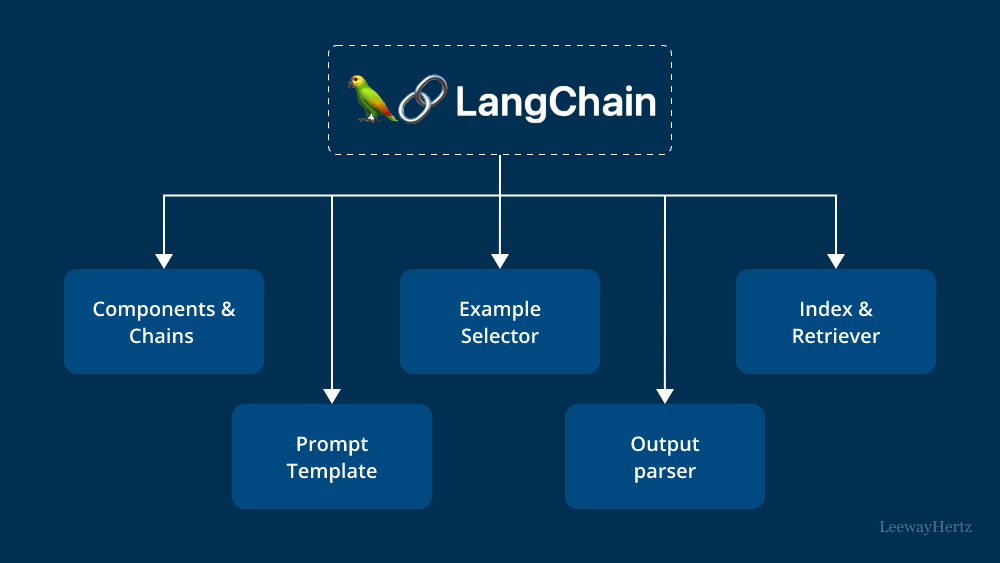
LangChain for JS Developers: Models, Prompts, Memory & Chains
A practical guide to LangChain for JavaScript and TypeScript developers. Learn Models, Prompt Templates, Output Parsers, Memory, and Chains — with real code examples you can use today.